
General
The barcode configuration enables goods receipts to be recorded by scanning, which significantly improves and speeds up the efficiency of goods receipt recording.
At least one name must be recorded for the header data; additionally, a description can be added and a value separator can be set. The value separator can be used when barcodes are not issued according to the standard with identifiers. For this, the index must be recorded in the position, indicating at which point the value is located.
Example: Value separator = "/", index = 4, the value begins after the fourth separator.
Configuration
The configurations that have already been created can be selected and edited here.
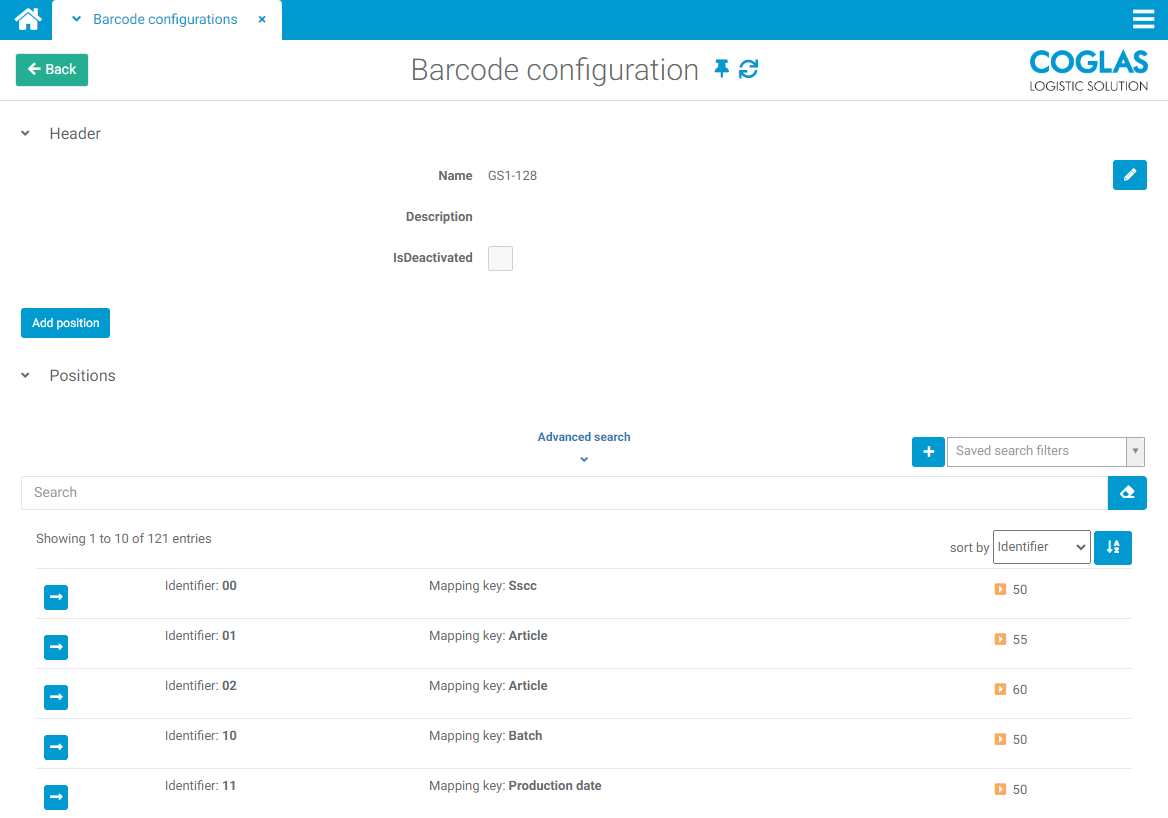
When adding a configuration, a name and a description are defined first.
Items can now be added to this configuration, which are categorised as follows:
|
Mandatory fields |
Description |
|---|---|
|
Identifier |
Prefix for data fields for reading. Field can also be empty if start of value contains a value. |
|
Optional fields |
Description |
|---|---|
|
Index |
Indicates the position within the barcode after counting the value separators |
|
Start of value |
Start of the character string. The field can be empty if the identifier contains a value. |
|
Value length |
Length of the character string that is read out. Field can be empty. |
|
Numbers only |
If activated, only numerical data is read. |
|
With decimal point indicator |
If the data value has a "decimal point", e.g. weight data |
|
Date-time format |
How the date field is read in |
|
Postfix / Suffix |
End indicator of a value in the barcode. Field can also be empty. |
|
Mapping key |
Field in the COGLAS. |
|
Priority |
If two barcode configurations overlap, the one with the lower priority is used. |
|
Barcode configuration |
if further data is read from a data field. Field can also be empty. |
The configuration set up can now be used in goods receipt.
→ back to COGLAS processes
→ back to COGLAS menu