
Produktionsaufträge
General
The production order lists the finished goods/sets to be produced, along with the items and quantities. This is the notification of the production receipt. Production orders can be created manually or transferred via the interface. The overview shows all production orders, which can be narrowed down using various filters and search queries. Search filters can be saved individually:
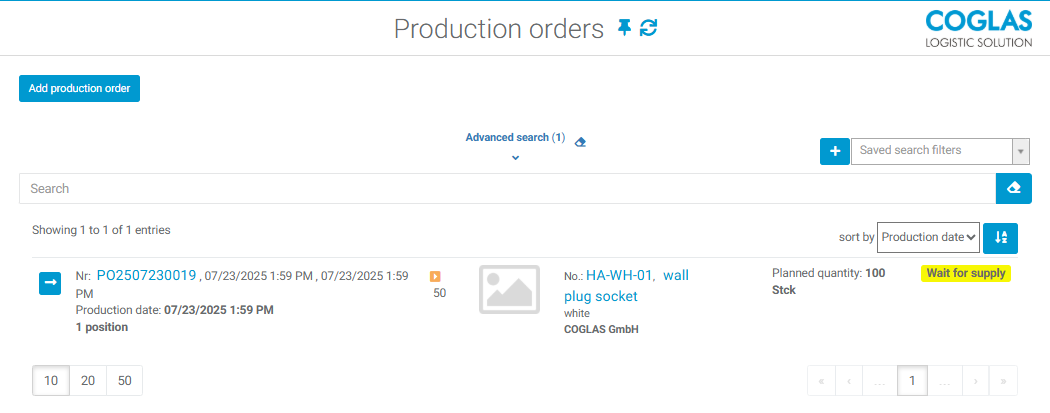
A manual production order can be created via Add production order. All orders that are not yet in Completed status can also be modified from the list of orders displayed.
Functionality
Button | Description |
|---|---|
Add production order | Adds a production order manually. The production order header contains information on the planned production date, the supply strategy (supplying raw materials to production), the selected production line, and the strategy for disposing of the finished goods during the subsequent production receipt, among other things. Number, client, production date, supply strategy, production line, comments, reference no., reference no. 2, priority. |
 | Allows you to change the production order header. |
 | Duplicates the selected production order along with the positions |
Add new position | The position lists the inventory qualifications of the goods to be produced. In addition to the item number, quantity, and optional characteristics such as batch or raw material batch, the loading equipment and quantity per LHM on which the finished goods are to be stored are also listed. Item, quantity, batch, SBK... The item can now be added or the process can be canceled using the "Production order..." buttons. |
Select all on current page Unselect all on current page | Selects all items in the production order or deselects them. |
 | Checkbox zum Selektieren / Abwählen von Produktionspositionen. |
Delete selected | Deletes all selected order positions |
Duplicate selected | Duplicates the selected production items as long as they do not have the status Done. |
Start supply | This starts production supply for items for which a bill of materials exists. The items required for supply are retrieved in accordance with the supply strategy. Transport orders can be found either under picking or transport. The status changes to Waiting for transport. |
Create production receipt | Transfers the items and quantities of the production order items to the production receipt for later transfer of the finished goods to the warehouse. |
Show production receipt | Shows the production receipt for the corresponding production order. |
Set order done | Ends processing of the production order and prevents further actions relating to the list. The process cannot be undone and no further postings are permitted. The list status is set to Done accordingly. Transport orders that have already been started for the production order remain in place and must be canceled manually via the respective control station! |
The "Positions" tab displays the production items. "Attachments" shows the files stored for the production order. "Linked lists" displays all production orders and receipts resulting from this order.
The revision history shows all changes made to this list.
Prerequisites
The required supply strategies must be maintained under Strategies .
The production lines must be created in the topology. It is important that the node type for these lines is set to AlternatingDistributor in the exported topology list and then imported. It is not possible to change this node type in the front end.
Warnings
The following warnings may occur within the processes:
Warnhinweise | Beschreibung |
|---|---|
Es wurde kein Dienst unter System-Servicekonfiguration zum Übertragen von Daten über die JSON Schnittstelle hinterlegt. | |
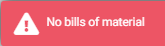 | A production order was to be started without a bill of materials being stored or an item being assigned to the order. |
 | One or more input fields have not been filled in with correct values or have not been filled in at all. These are now marked in red. |
 | Produktionsauftrag muss gestartet sein und in den Lageroptionen darf nicht „Autom. Start Produktionseingang bei vollständiger Bereitstellung Rohwaren“ aktiviert sein. |
 | Ein Produktionsauftrag sollte gestartet werden, ohne eine Position zum Auftrag zugewiesen wurde. |
 | Eine ausgewählte Produktionsauftragsposition kann nicht gelöscht werden, da sie bereits den Status Erledigt hat. |
 | Der Produktionseingang wurde für Verbrauchsware gestartet. |
→ back to COGLAS processes
→ back to COGLAS menu