
General
An invoice can be generated from a service invoice template using "Create invoice".
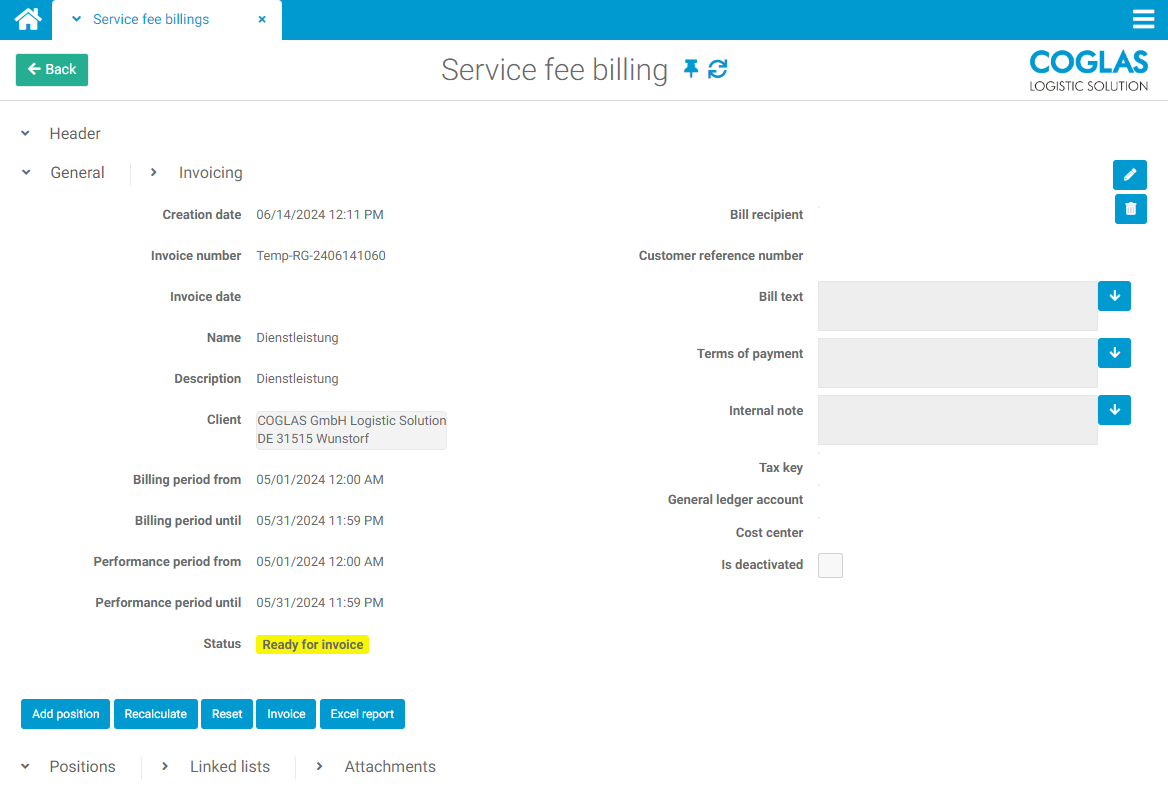
All completed fields from the template are transferred to the invoice.
The billing and service periods are pre-filled from the selection of the billing period daily, half-monthly, monthly.
|
Billing period |
Info |
|---|---|
|
Daily |
Last working day |
|
Semi-monthly |
1st of the previous month to 15th or 16th to last day of the previous month |
|
Monthly |
1st of the previous month to last of the previous month |
The billing items for the service rules are calculated directly on the basis of the predefined time periods.
Functionality
|
Process |
Info |
Note |
|---|---|---|
|
Add position |
A manual invoice item can be added |
can only take place in status = Ready for settlement or Created |
|
Recalculate |
The calculation of the service results is carried out again |
can only take place in status = Ready for settlement |
|
Reset |
The invoice is reset |
Status = Created |
|
invoice |
The calculated service results are added to the invoice. |
new status = billed |
|
Transfer to financial accounting |
Transfer of the corresponding message type to Financial Accounting. Status “Invoiced” required. |
If the service fee is canceled, the same message type is sent with negative values. |
|
Excel Report |
An Excel report is created and output for the DLA |
- |
|
Cancellation |
The invoice is cancelled |
- |
|
Add invoice immediately |
An immediate invoice can be generated from the header data of this invoice |
- |
|
Print invoice |
The invoice is sent to paper via a report |
new status = printed |
→ back to COGLAS processes
→ back to COGLAS menu