
General
An automatic storage system such as a paternoster or shuttle is to be connected in COGLAS. The customer provides configuration data. The configuration should be recorded in COGLAS and the control tested.
Prerequisite: Setup StorageTechnologyController
-
For the further process, the StorageTechnologyController is considered set up and ready for use.
-
The installation and setup of the COGLAS StorageTechnologyController will not be detailed further here.
System - Administration - Storage Technology
-
Formerly “Goods-to-Person Devices”
-
Recording the connection to a storage system.
-
See table, parameters must be requested from the customer in advance.
-
As soon as the parameters are available and the storage system is reachable, configuration and control testing can take place.
Recording a storage technology in COGLAS:
-
Open menu “System - Administration - Storage technology devices”
-
[Add Storage technology device]. Enter parameters as per Table 1.
-
[Save] when finished.
-
-
Open storage technology profile and display device openings.
-
Add new device opening. Enter parameters as per Table 2.
-
Table 1 - Add Storage Technology
|
Parameter |
Input |
Description |
|
|---|---|---|---|
|
1 |
Device Number |
Device number of the storage system to be controlled. |
Usually a number, e.g., 1, 102, etc. |
|
2 |
Name |
Free text |
Name of the storage technology profile. |
|
3 |
Description |
Free text |
Description of the storage technology profile. |
|
4 |
Device Topology Node |
Selection of the topology node to be set up and controlled for the storage technology. |
The topology node should be created to match the connected storage system. Special note = Consider shelf numbers! |
|
5 |
Device Type |
Lift or Paternoster |
Make a selection. |
|
6 |
Interface Type |
StorageTechnologyController |
Make a selection. |
|
7 |
Automatic Mode |
Boolean 0/1 |
Active = Shelf automatically retracts after completion of storage/retrieval. OFF = Shelf remains at the device opening after completion of storage/retrieval. |
Table 2 - Storage Technology Profile and Device Openings
|
Parameter |
Input |
Description |
|
|---|---|---|---|
|
1 |
Number |
1,2,.. |
Number of the device opening. Start with value=1. |
|
2 |
Name |
Free text |
Name of the device opening. Example = Opening 1 |
|
3 |
Tilt (Degrees) |
0-x degrees |
Storage system must support the tilt angle of the shelf. If value >0 is set, the shelf should lift by the tilt angle. |
|
4 |
Extend Tray |
Boolean 0/1 |
Activate if the tray should automatically extend. |
|
5 |
Is Default |
Boolean 0/1 |
If active, this device opening should be controlled as the default. A device opening is always active as Is Default. |
|
6 |
Is Reserved |
-- |
-- |
|
7 |
Transport Zone |
Transfer rule: Transport zone |
Transfer rule setting. |
|
8 |
Picking Zone |
Transfer rule: Picking zone |
Tranfer rule setting. |
|
9 |
Retract Shelf |
Button
|
Button to retract shelf from this device opening. |
System - Administration - Goods-to-Person Status
-
Display status of the connection to a storage system.
-
Prerequisite:
-
A COGLAS StorageTechnologyController is in use.
-
A storage technology profile for the storage system is set up.
-
-
See Table 3 for technical operations that can be performed from a mask for storage technology control.
Table 3 - Goods-to-Person Status
|
Parameter |
Input |
Description |
|
|---|---|---|---|
|
1 |
Status Info |
Display connection status Button [Update Status Info] to refresh status. Value “ Value “ |
Values “ If false, then check the storage system for power and connectivity. |
|
2 |
[Activate Device]
|
Enter device number. |
Based on device number input, the storage system will be activated/deactivated. |
|
3 |
[Request Transport] |
Specify details for prefetching a shelf:
|
Prefetch shelf based on specifications. |
|
4 |
[Set Pointer] |
Specify details for the laser pointer:
|
Activate laser pointer on the shelf based on coordinates. |
|
5 |
[Request Device Status] |
Display storage technology status. |
Request storage technology status. |
|
6 |
[Retract Shelf from Opening] |
Specify details for retracting shelf:
|
Retract shelf based on specifications. |
|
7 |
[Retract All Shelves] |
Button only. |
Retract all shelves regardless of device opening. |
|
8 |
[Move Shelf to Opening] |
Specify details for prefetching a shelf:
|
Prefetch shelf based on specifications. |
Example: Recording Storage Technology in COGLAS.
-
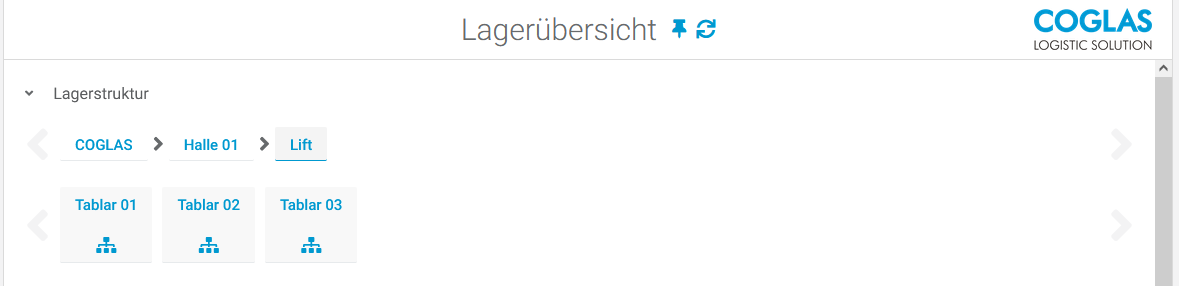
Storage overview recorded with example lift and 3 shelves.
-
Shelf numbering was set as 1,2,3.
-
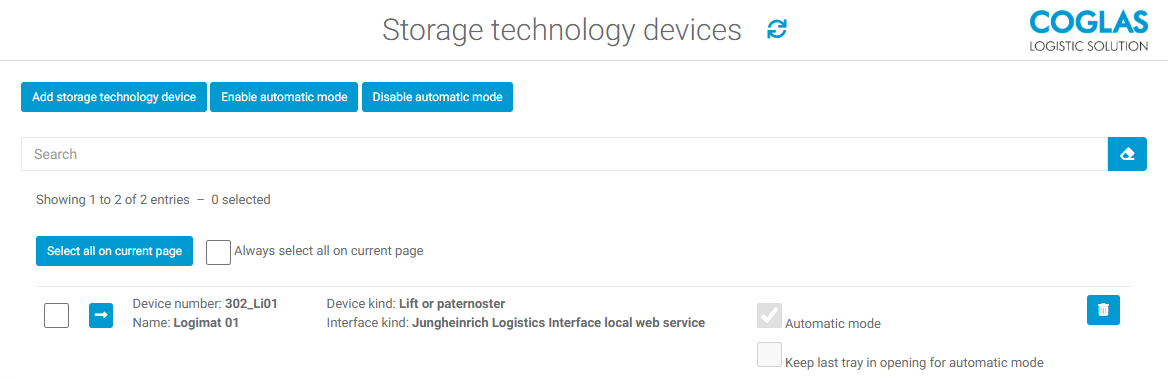
Through the menu for storage technology, device number 302_li01 was configured for topology “Halle 01 - Lift“.
-
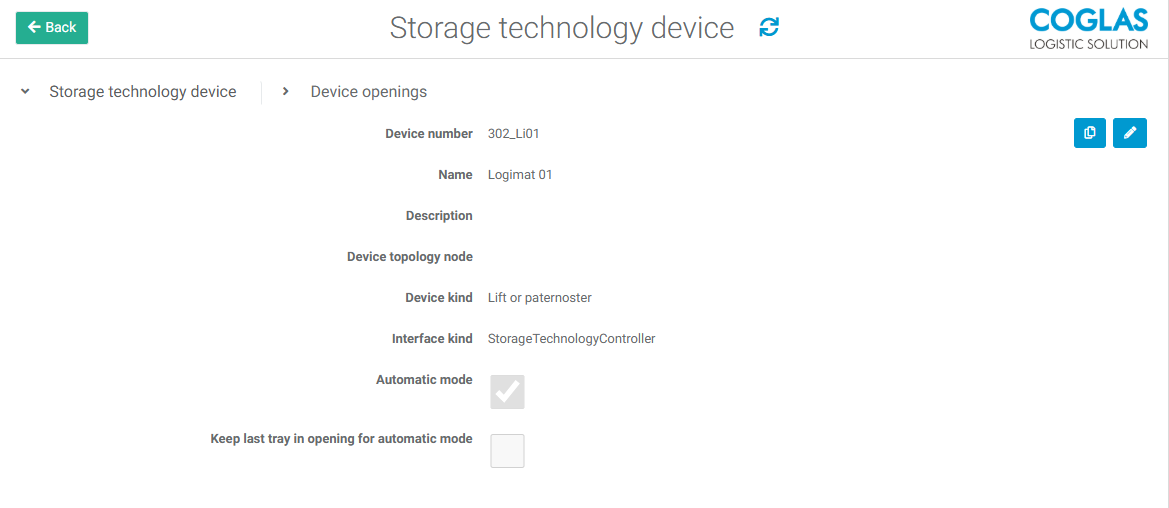
Details on storage technology
-
Name and description are optional fields.
-
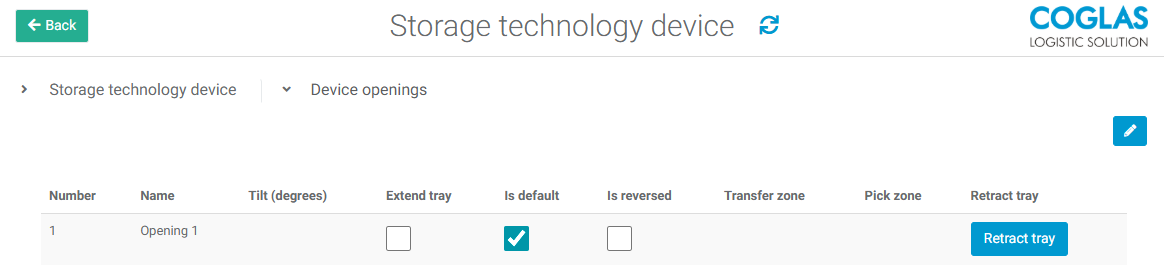
Details on device opening
-
After recording the storage technology profile, the test control can be performed. For example, via the storage overview with [Request Shelf] and [Retract Shelf]. For multiple device openings, the device openings for moving out and retracting must be confirmed.
Warning Message
|
Warning Message |
Description |
|
|---|---|---|
|
1 |
Goods-to-Person Status Status Info
|
The StorageTechnologyController is not started. |
|
2 |
Goods-to-Person Status Status Info
|
Storage technology is off, not connected, etc. Check or switch on storage technology. |
→ back to COGLAS processes
→ back to COGLAS menu