
General
Below is a brief description of how to set up a volume measuring device using storage technology devices. Currently, measuring devices from Cubiscan and Bosche are connected.
Requirements
For the business partner - client, the checkbox for checking for missing master data in packaging units must be selected under process control. In addition, the measuring device must be added in storage technology devices and then as a workstation.
Setup
Add a new storage technology device under System → Storage technology devices:

Input options
|
Eingabe |
Info |
|---|---|
|
Device number |
unique device number |
|
Name |
unique name |
|
Description |
informal description |
|
Device topology node |
leave empty |
|
Device kind |
Measuring device |
|
Interface kind |
StorageTechnologyController |
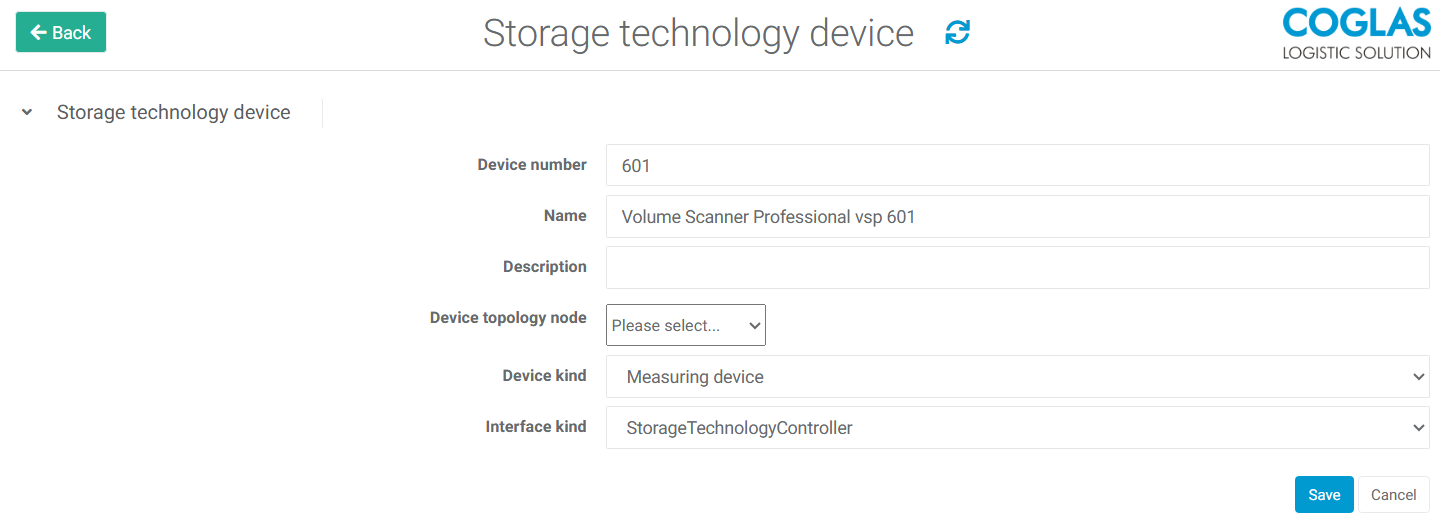
A selection must be made for the device kind and interface kind.
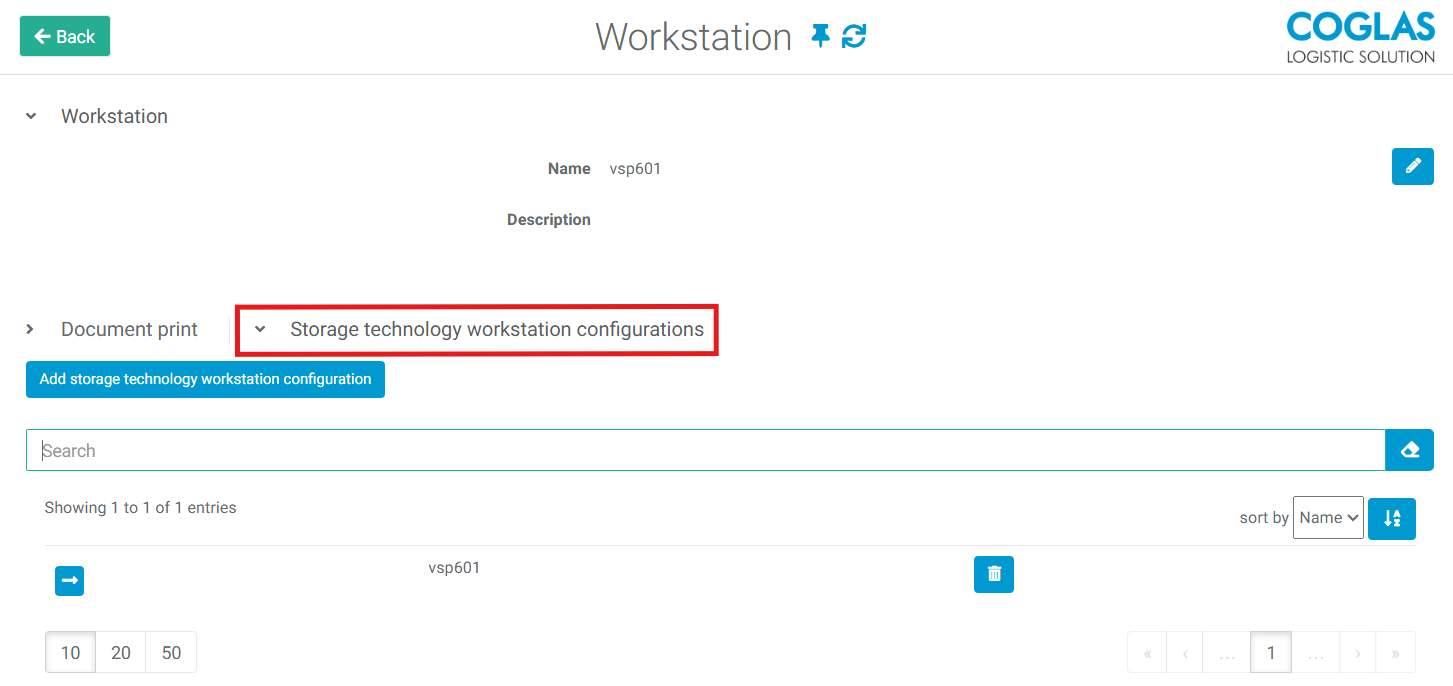
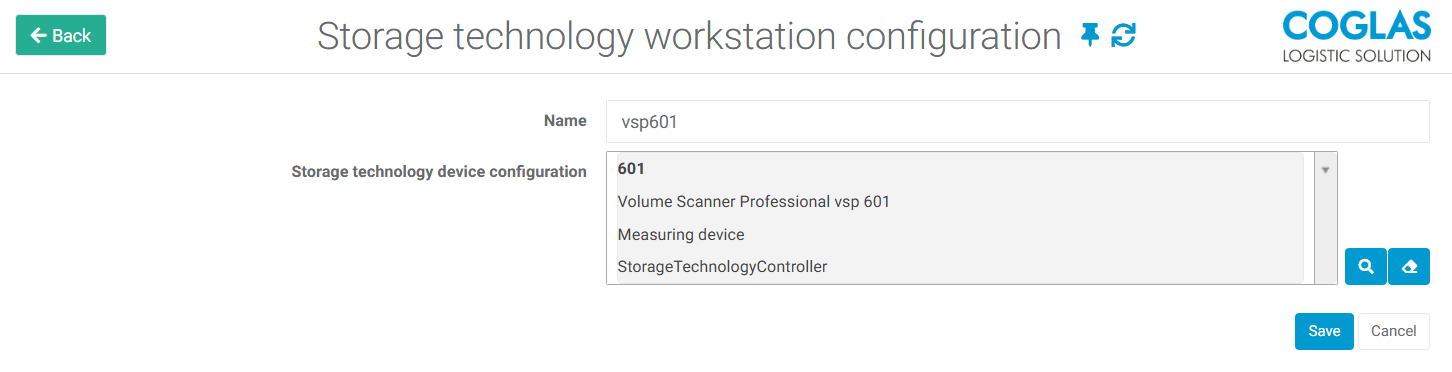
The connected device can then be added as a workstation. To do this, add a new workstation under System → Workstations.
Bosche
To connect a Bosche scale to the COGLAS WEB WMS, in addition to configuring the Bosche settings, the ReserServer must also be activated and configured with an available port.
→ back to COGLAS processes
→ back to COGLAS menu