
General
With packing with scan, it is possible to create a complete package using scanning processes. First, the packing equipment is scanned, and then the items to be packed into that unit are specified.
Process
The packaging process using Scan-based packaging works as follows:
-
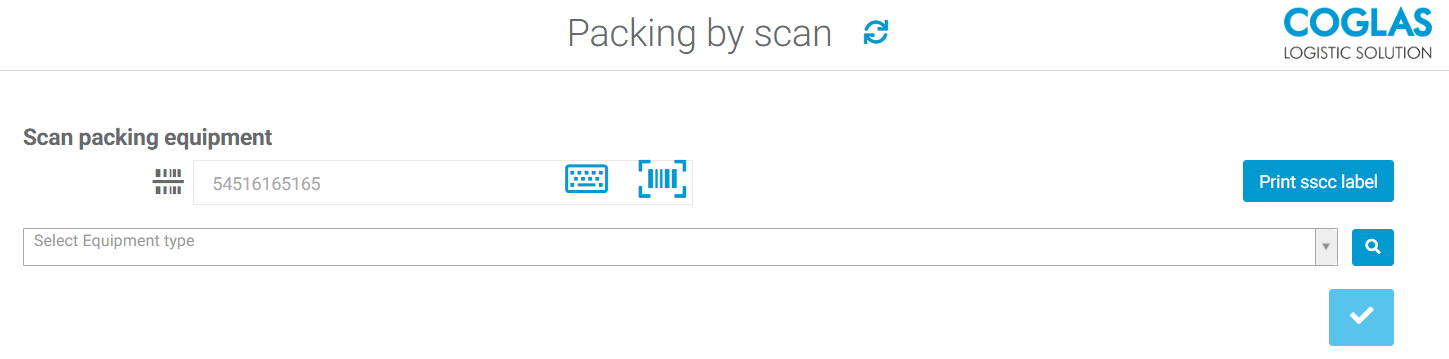
Scan the packing equipment: Scan the packing equipment's barcode or have COGLAS generate a barcode. You can then select the type of equipment and print an sscc label. If the barcode is stored in the closed circuit equipments, the loading equipment is selected automatically.
-
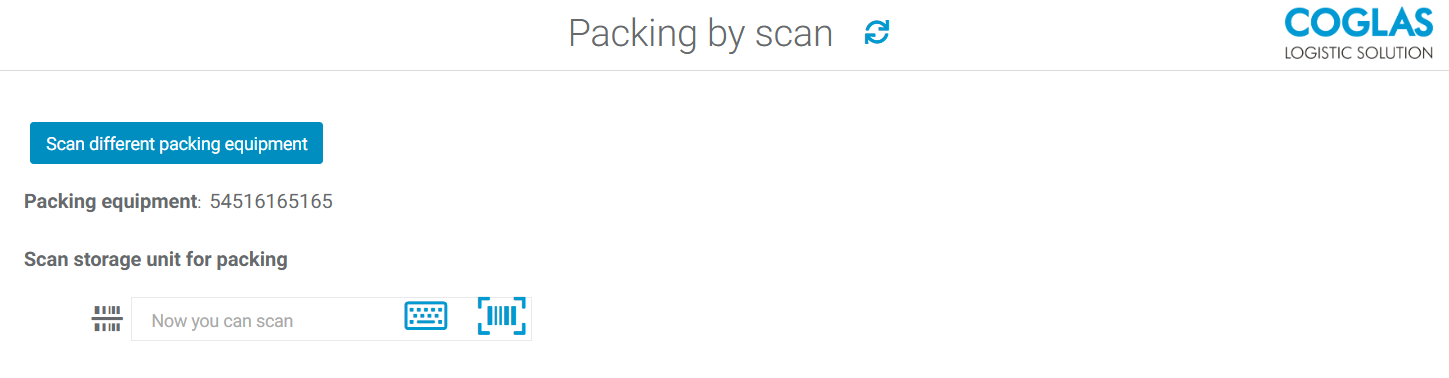
Scan the storage unit for packing: Next, scan the barcode of the picking storage unit to open the packing dialog.
-
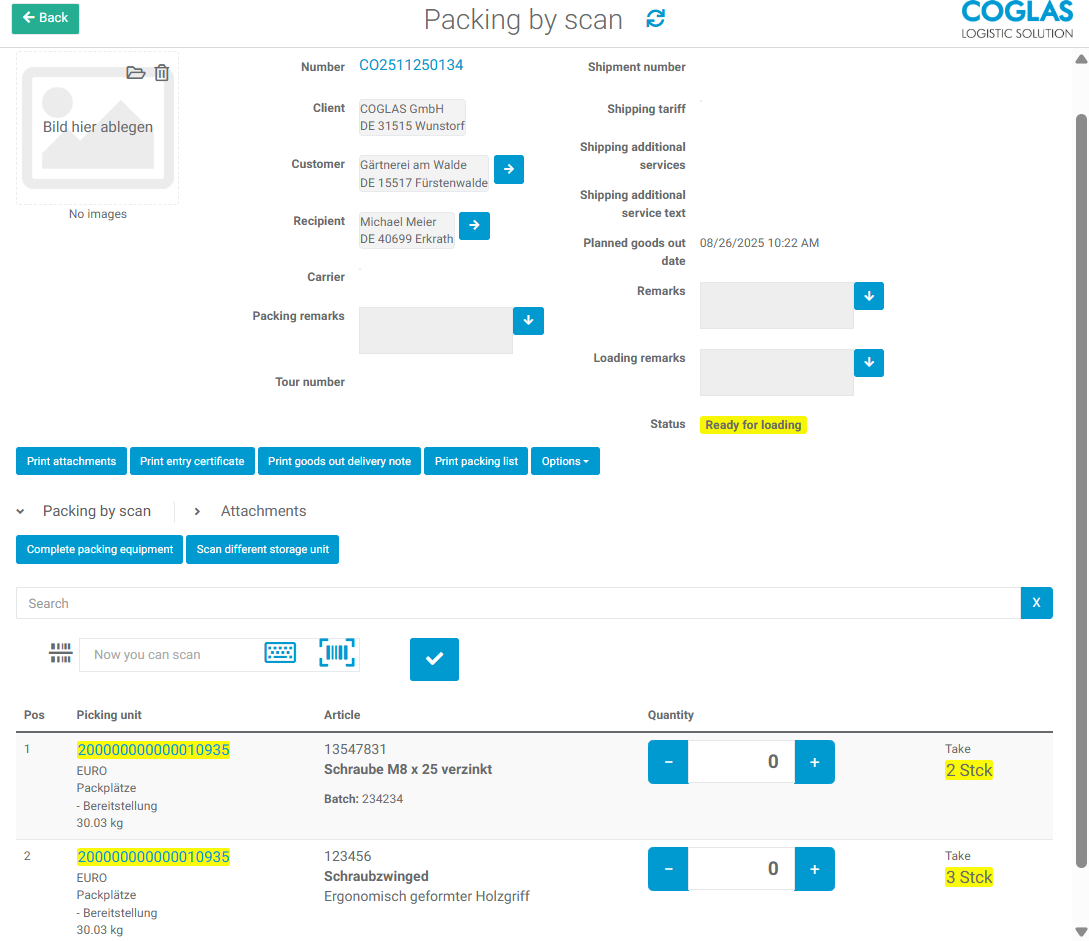
Packing by scan: In the packing dialogue, you can now specify the quantities to be packed into the packing equipment by scanning either the GTIN or the barcode of the packing unit. You can also select the quantities manually using the +/- buttons. Alternatively, this can also be done using a user's universal barcodes.
-
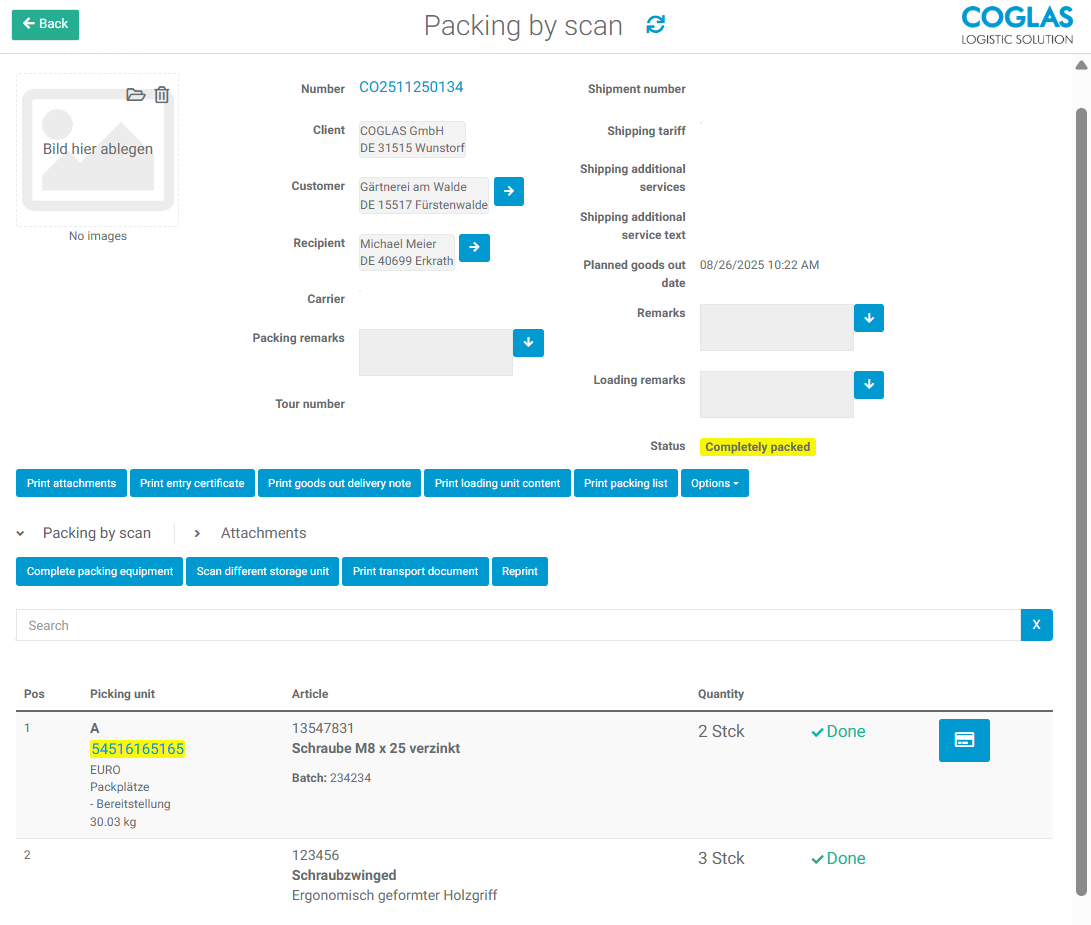
Finalizing the package: Once all items in the packing equipment have been scanned, you can confirm this by clicking the checkbox next to the scanning-field. You can then print the shipping documents and labels.
-
Next, you can either close the packing equipment or scan a different storage unit to scan additional orders onto the same packing equipment.
→ back to COGLAS processes
→ back to COGLAS menu