
General
Sorting allows picked orders to be sorted based on specific criteria. During this process, items are repacked from the picking unit into a new handling unit, and the process is primarily carried out by scanning.
Sorting can be performed based on the following criteria:
-
Customer order
-
Grouping number
-
Recipient
-
Shipment number
-
Unloading place
The criteria can be defined in the order header under Process control.
Process
The sorting process works as follows:
-
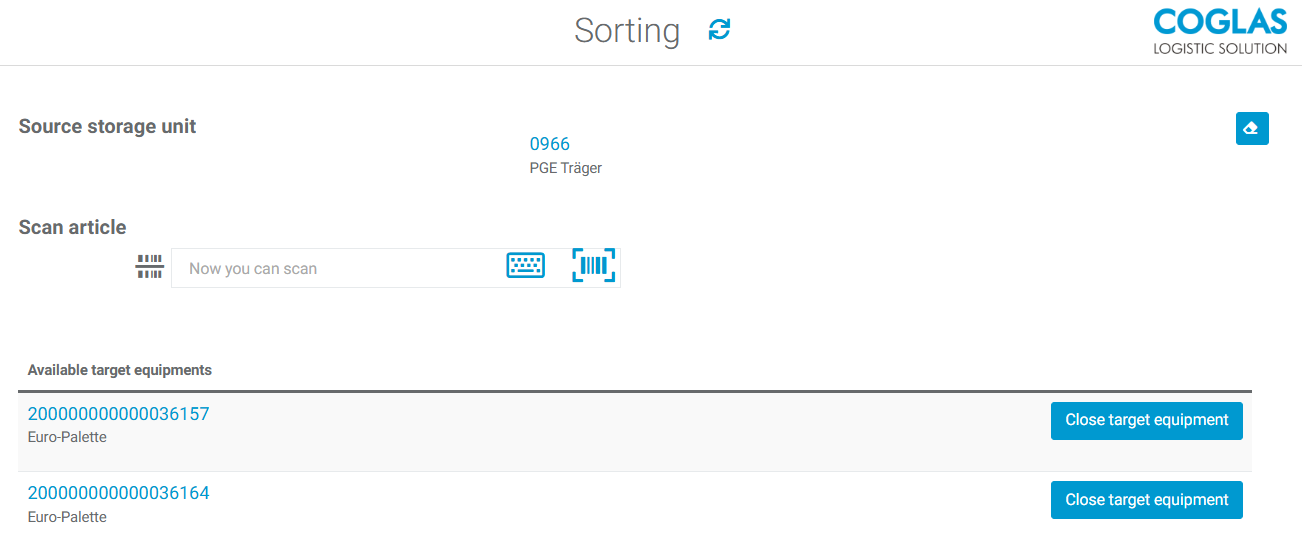
Once picking is complete, the sorting process can begin. The picking unit can now be scanned.

-
Next, scan the item to be sorted. For example, you can scan the GTIN.
-
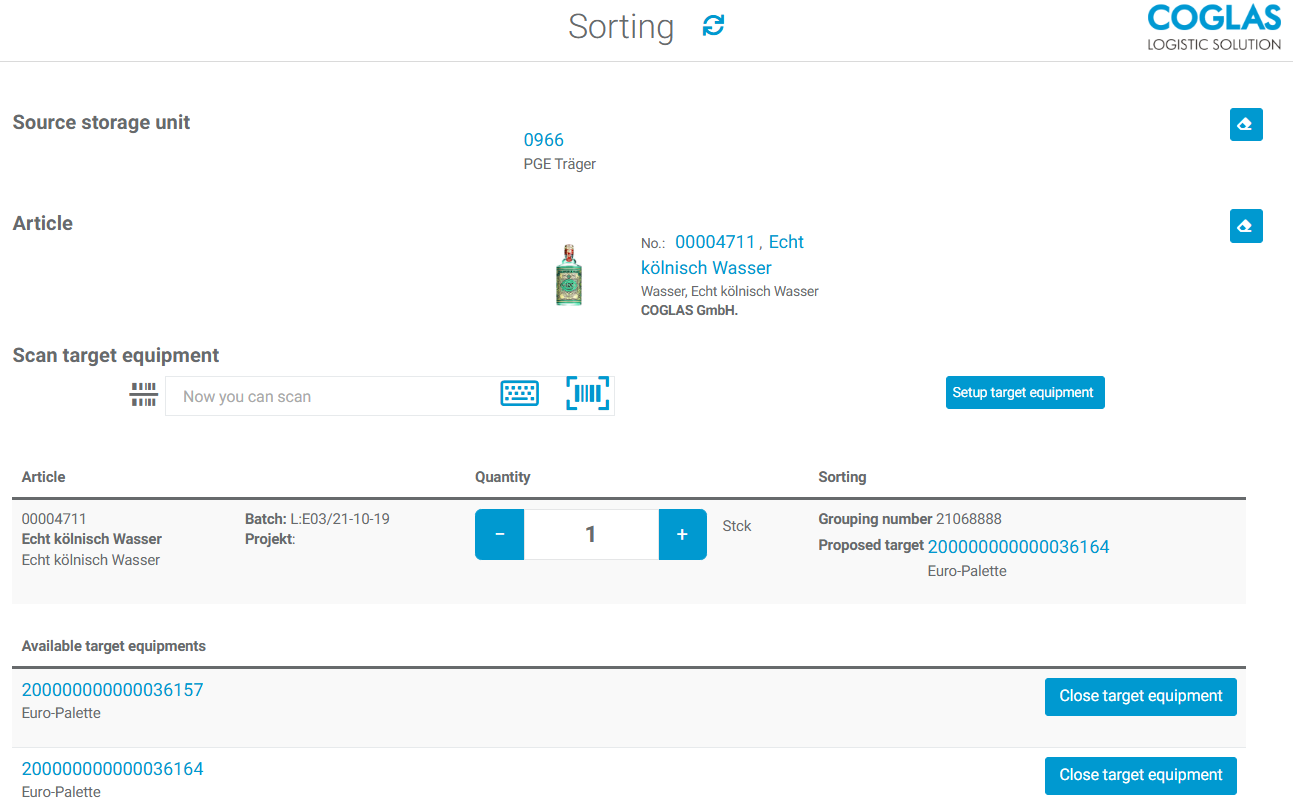
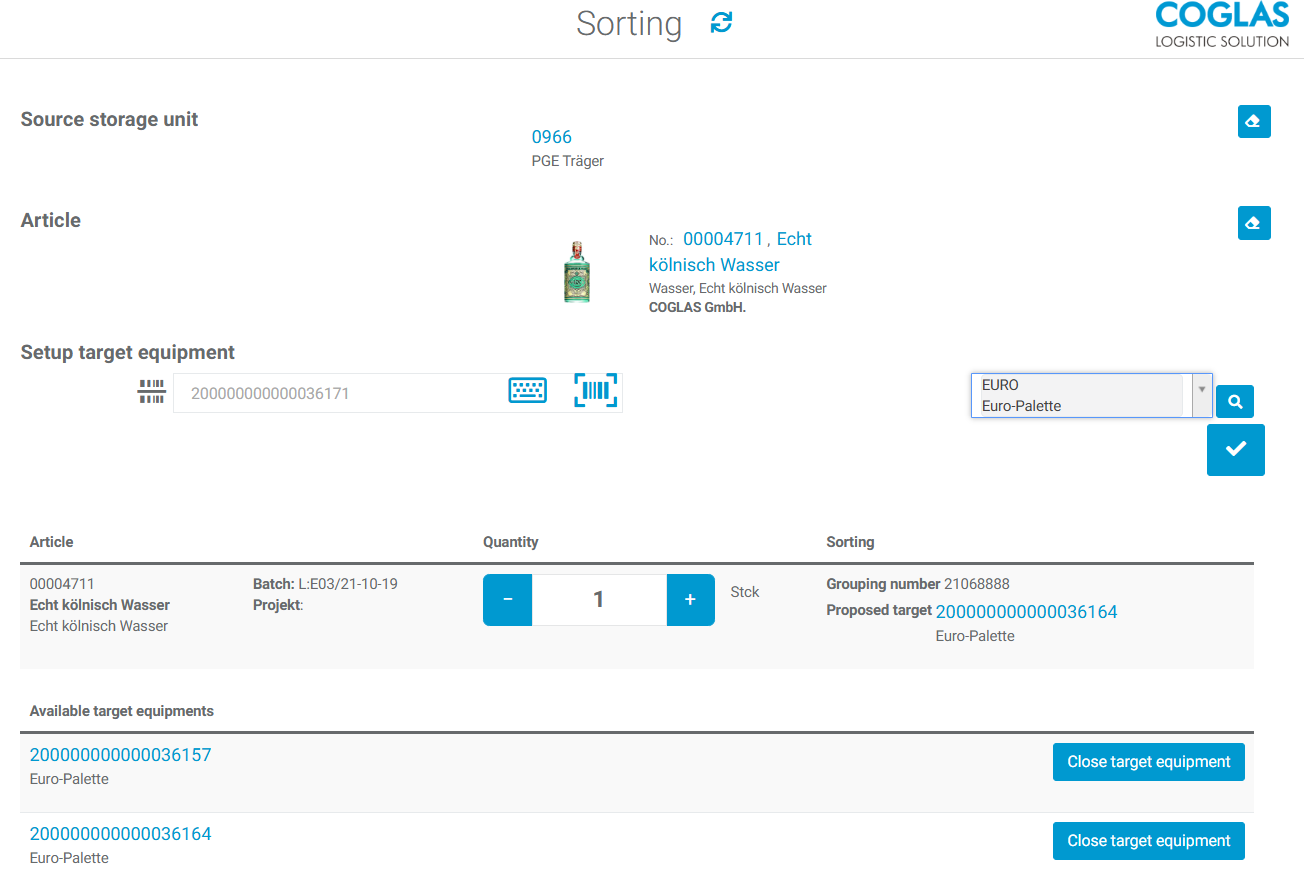
The item or box (if the package size display mode is being used) can then be scanned onto the new target equipment. To do this, you can scan an existing target equipment that meets the sorting criteria or set up a new target equipment.
-
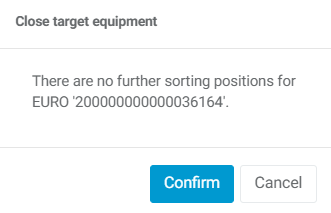
The process can be repeated until everything has been sorted. If a transfer equipment is full, it can be closed. The system displays a message indicating that there are no further orders for a sorting criterion, so that the transfer equipment can be closed.
-
Once the transfer equipment has been closed, it is possible to generate a transport order to, for example, a packing area.
→ back to COGLAS processes
→ back to COGLAS menu