
General
Archiving orders can be used to delete or anonymize data in COGLAS. Only entries that are more than one year old can be deleted or anonymized. In addition, a dump should be created before each archiving order, and archiving should not take place during normal business hours.
Please note that we are referring to the permanent deletion of data. Once the deletion process is activated, this data will be irrevocably deleted.
Archiving order
The header of the archiving order determines whether the entries are to be deleted or anonymized. Each archiving order is assigned a unique number.
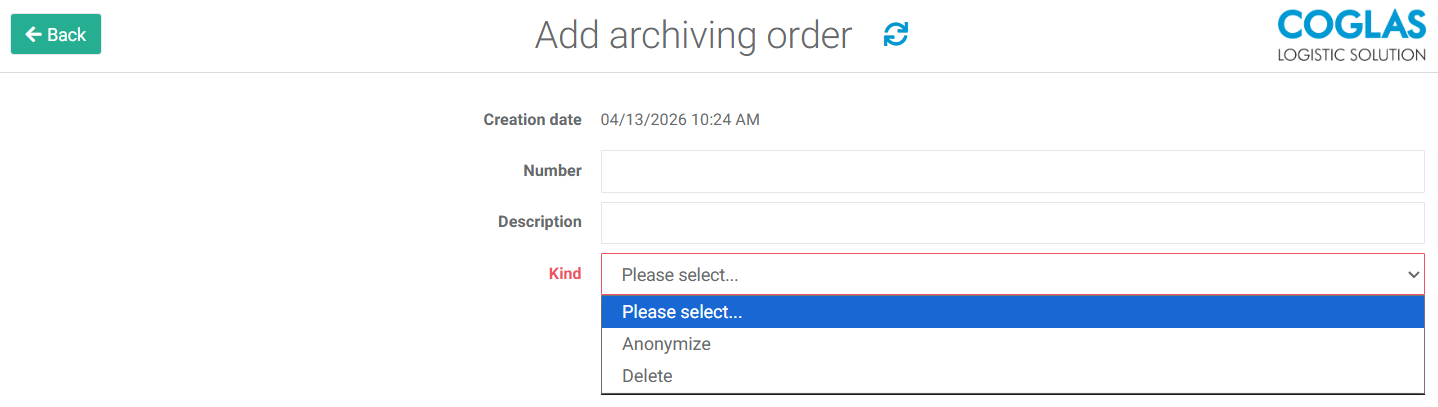
Once the header and a position have been entered, the archiving job can be started. Before archiving begins, the user is asked whether a dump has been created, which must be confirmed. The user must also confirm that the data is to be deleted.
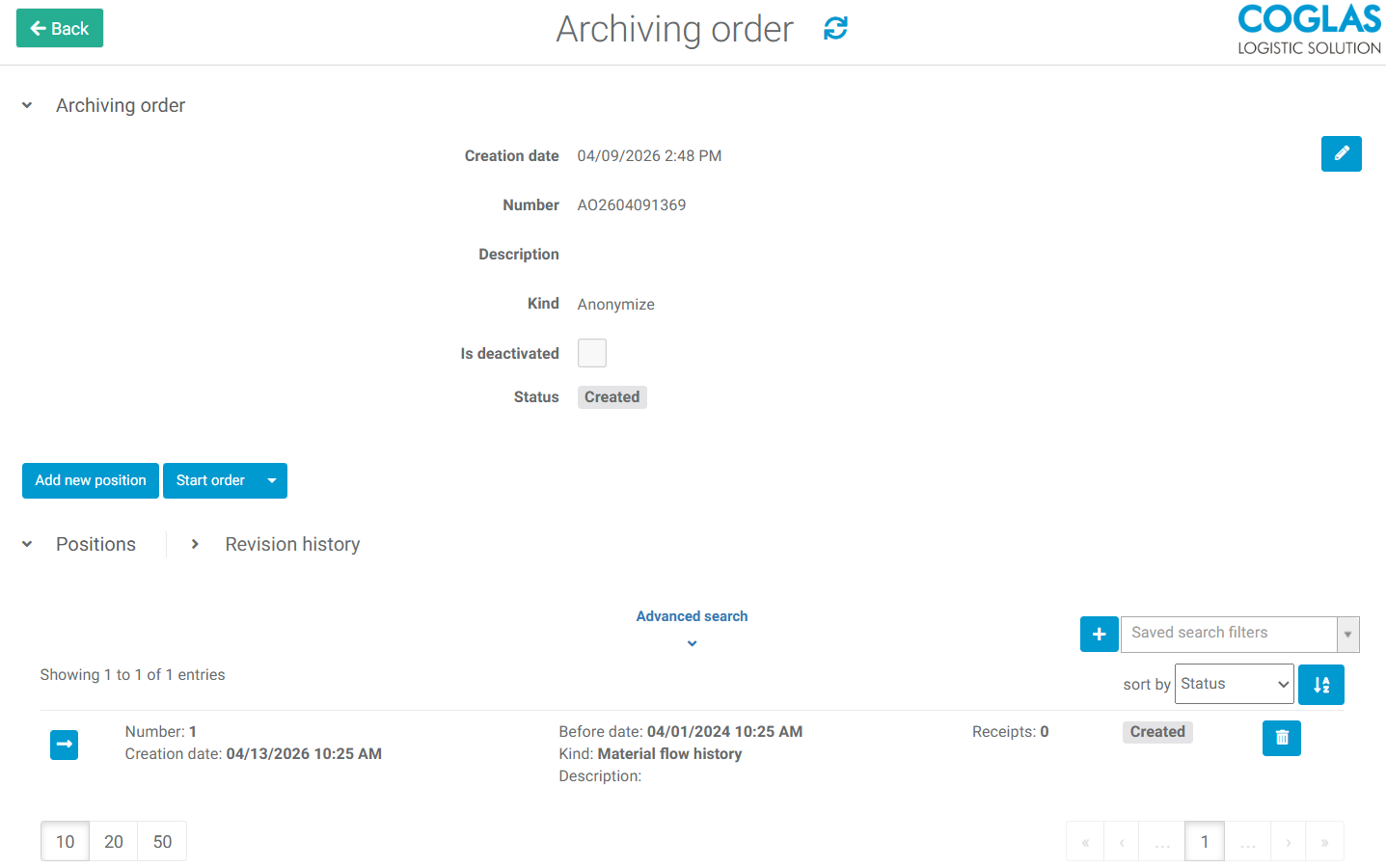
Please note that we are referring to the permanent deletion of data. Once the deletion process is activated, this data will be irrevocably deleted.
Archiving order position
The archiving order positions specify where entries are to be deleted or anonymized. Only one position is allowed per archiving order.
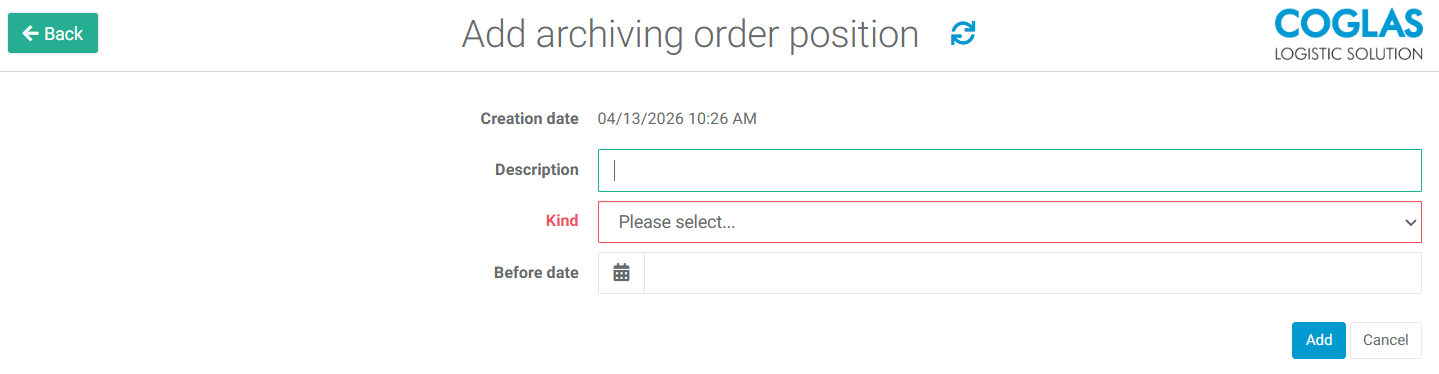
You can enter a description for an archiving order position. The “kind” field allows you to select the type of entries. The “Before date” field lets you specify the date by which entries should be deleted or anonymized. Entries must be at least one year old.
The following entries can be deleted or anonymized:
|
Kind |
Function |
|---|---|
|
Data interface history |
Deleting or anonymizing entries in the data interface history |
|
Journal |
Deleting or anonymizing entries in the revision history |
|
Login history |
Deleting the login history |
|
Material flow history |
Deleting or anonymizing inventory movement data |
|
Picking |
Deleting or anonymizing picking |
|
Transfer order |
Deleting or anonymizing of transport orders |
|
Goods out |
Deleting of goods out |
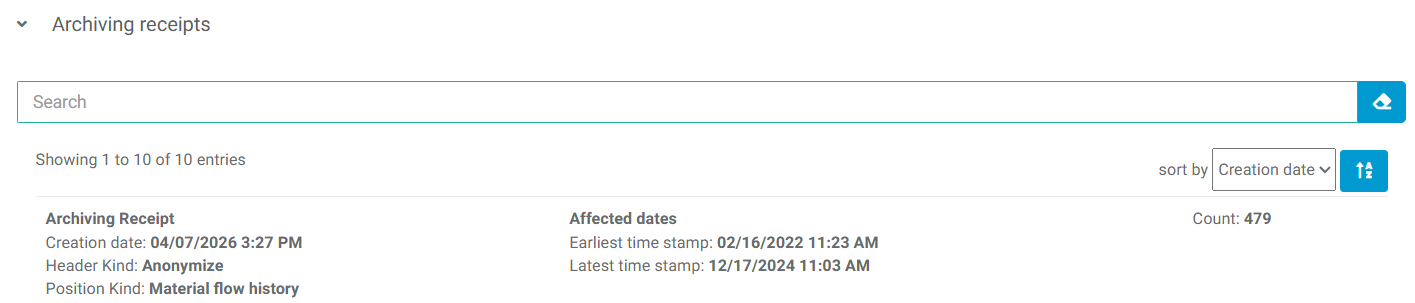
If an archiving order position has the status “Done”, you can view additional information about the archiving process by clicking on the position, such as the number of archived entries and the corresponding timestamps.
→ back to COGLAS processes
→ back to COGLAS menu