
General
Templates can be used to configure various fields in the Customer Order Header. This can be useful, for example, when a specific number/reference or carrier always needs to be assigned.
Creating a template
When creating a template, you can first enter a name and description. You can also specify whether the template is disabled and select the template type. Currently, only Customer Order is available as a template type.
You can then define the fields that the template should populate or select. It is important to always check the checkbox next to the respective field; otherwise, the field value will not be applied.
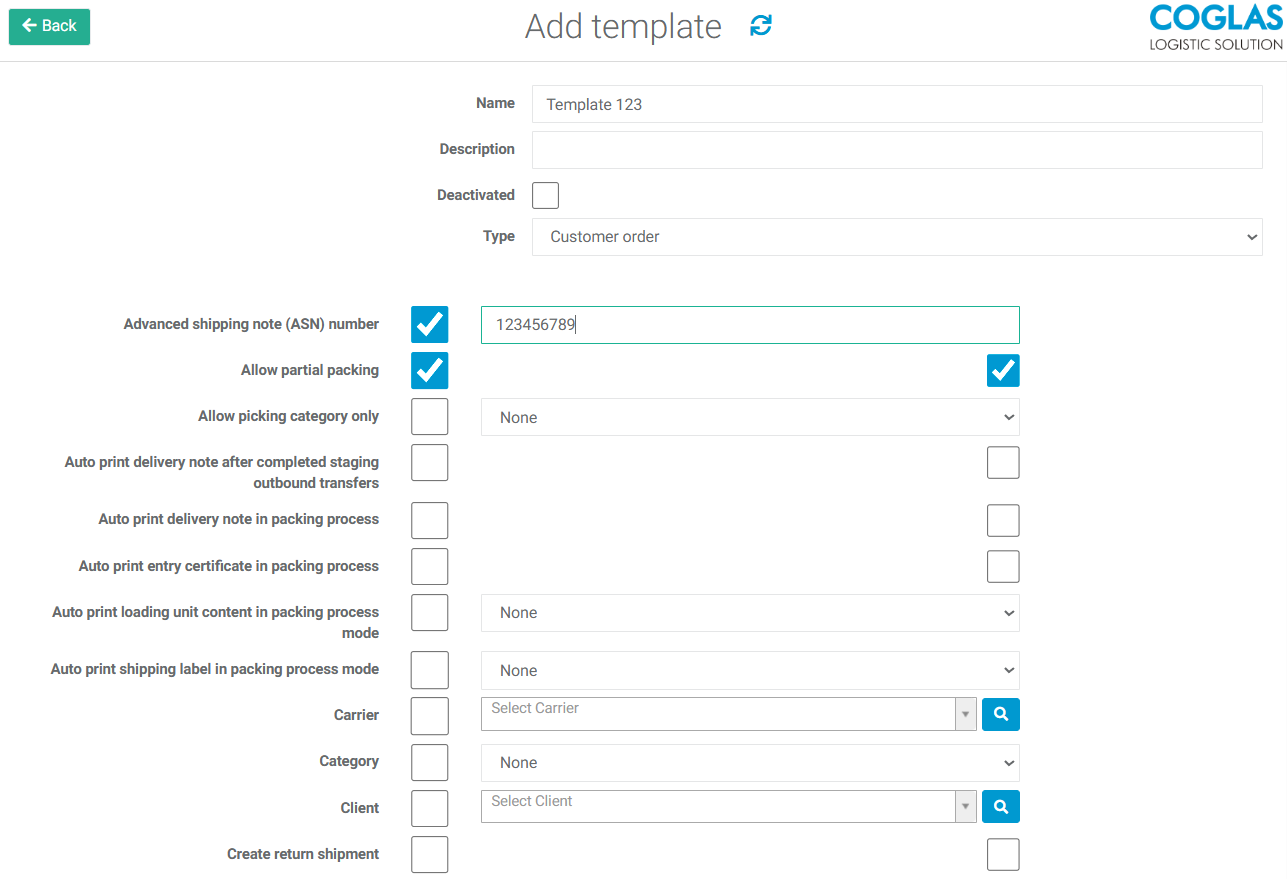
The template can then be saved.
The template can be selected via Edit multiple customer orders of Customer Orders to modify multiple orders at once. Alternatively, it can be selected within a Customer Order under Process Control to modify a single order based on the template.
→ back to COGLAS processes
→ back to COGLAS menu